Enter the file name, and select the appropriate operating system to find the files you need:
FileName
maxzlib.dll
Comments
DLL support by Alessandro Iacopetti & Gilles Vollant
InternalName
zlib1.dll
Maxthon5
Maxthon5
ProductName
zlib
MX5
MX5
CompanyName
Maxthon International ltd.
LegalCopyright
(C) 1995-2004 Jean-loup Gailly & Mark Adler
(C) Maxthon. All rights reserved.
(C) Maxthon. All rights reserved.
ProductVersion
2.2.3.10
1, 2, 3, 6
1, 2, 3, 6
FileDescription
zlib data compression library
Maxthon 5
MxZlib Module
Maxthon 5
MxZlib Module
LegalTrademarks
-
PrivateBuild
-
OriginalFilename
zlib1.dll
Maxzlib.dll
Maxzlib.dll
SpecialBuild
-
This file can be used in the following paths:
File Version
File Md5
File Bit
File Size
Download
2.2.3.10
7edde44c251b0ff2a202f73588eafad732 bit305 KDownload this files 1, 2, 3, 6
64c4442616a59525dbb6b51b2a9af5dd32 bit252 KDownload this files 2.2.3.10
5a15a69e143350cf59ef9a206f8205b132 bit312 KDownload this files 2.2.3.10
0b0643fcb235ebd9c98fd250e528e36132 bit305 KDownload this files 2.2.3.10
c3099851ac09b93c6fec9cead538c9fa32 bit312 KDownload this files 2.2.3.10
e4e43961bb48954a42adda3bd62bb82032 bit312 KDownload this files 2.2.3.10
199722e6cff64953fbf7f6bfc44f4f4a32 bit312 KDownload this files
- • c:\program files\maxthon\bin\
- • c:\program files\maxthon5\bin\
- • c:\program files (x86)\maxthon5\bin\
The above paths are the common paths where this file is located, but does not mean that it must be stored in the above paths. The file should be stored in the actual installation path of the software.
Tip: If you cannot find the software installation path, you can follow the path suggested above, find one by one, and put the file inside the path found.
Tip: If you cannot find the software installation path, you can follow the path suggested above, find one by one, and put the file inside the path found.
Tip: How to correctly select the file you need
1. If you know MD5 value of the required files, it is the best approach to make choice
2. If your original file is just corrupted but not lost, then please check the version number of your files. (Method: Click your original file, and then click on the right key to select "Properties" from the pop-up menu, you can see the version number of the files)
3. If your operating system is 32-bit, you must download 32-bit files, because 64-bit programs are unable to run in the 32-bit operating system.
4. There is a special case that, the operating system is a 64-bit system, but you are not sure whether the program is 32-bit or 64-bit. If you encounter this situation, check the file path to see whether there are any other files located in. If yes, please check the properties of these files, and you will know if the file you need is 32-bit or 64-bit.
If you still can't find the file you need, you can leave a "message" on the webpage.
Download maxzlib.dll file:
If you also need to download other files, you can enter the file name in the input box.
1 Enter the file name
2 Click download link and go to the download page of the file.
Enter the file name:

Next, please confirm file verion, and select the proper download link.
click "Download" to enter its download page.
click "Download" to enter its download page.
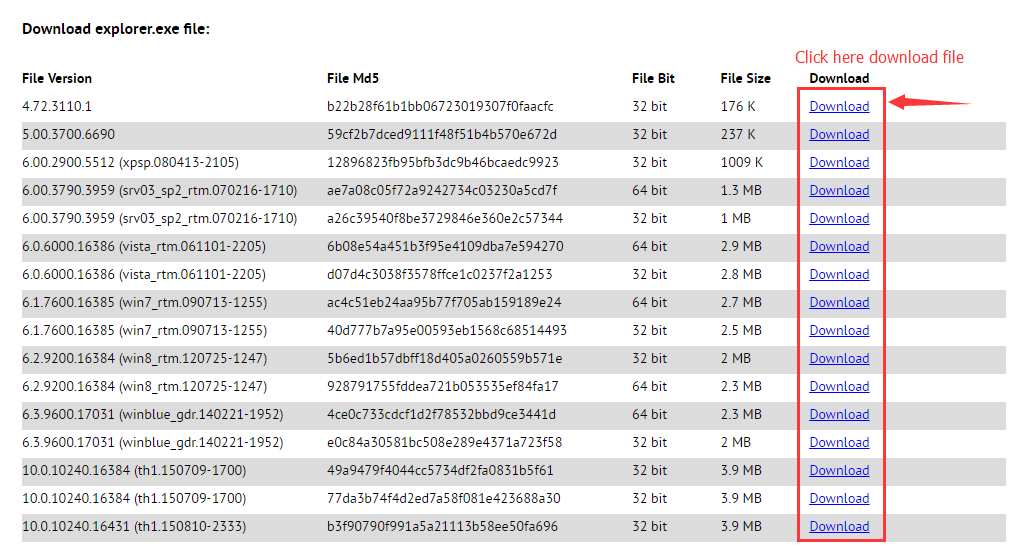
File Finder:
• Can't find the version of the file you need?
• The downloaded file cannot be used due to unstable network?
You can try to use this file finder. The method is very simple. Enter the file name, and you will find many versions of this file. Select the file version you need to download, this tool will automatically download a complete file for you.
Click Here Download File Finder
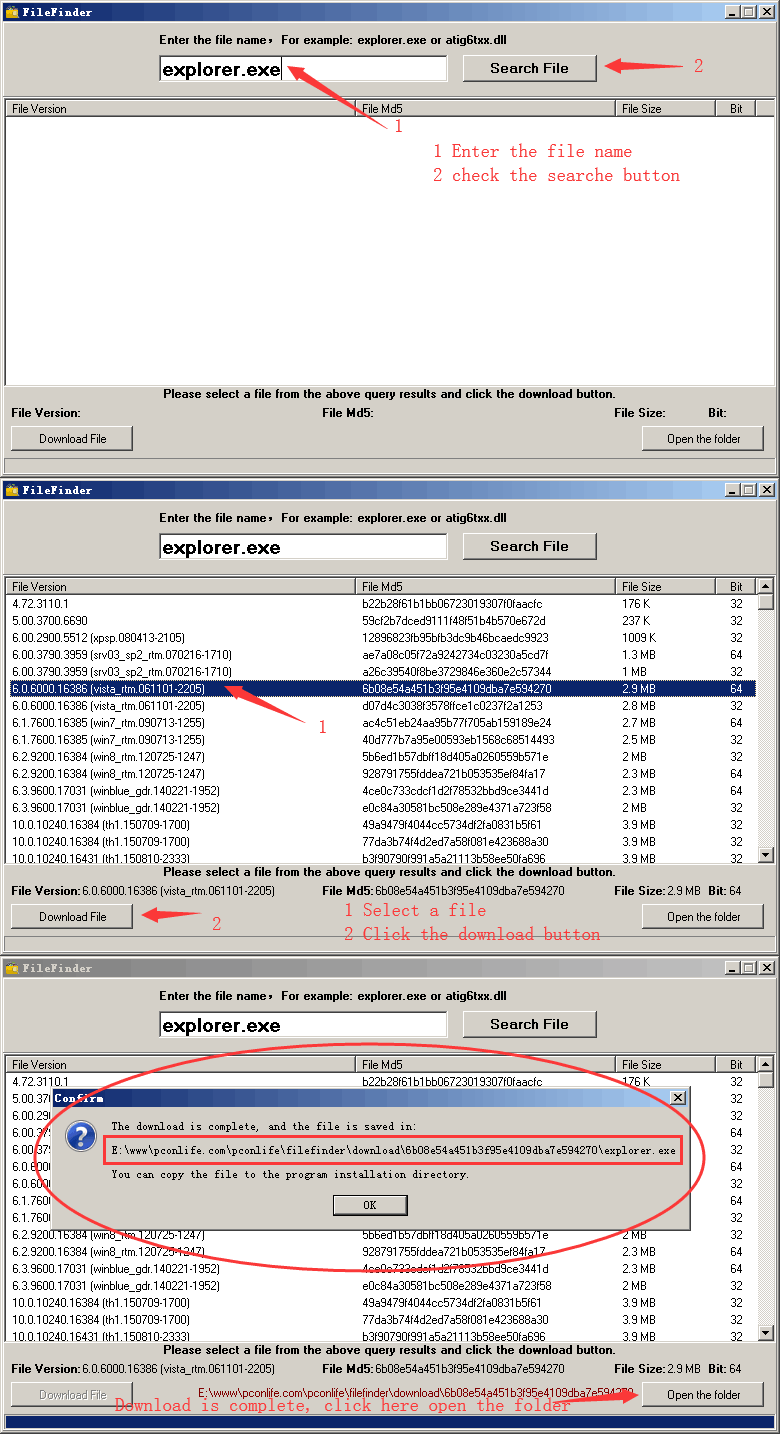
If you have any further questions or need help, please leave us a message:
Leave a Reply
Your email address will not be published. Required fields are marked *
Your email address will not be published. Required fields are marked *
User Reply & Help
 [2026-08-16]
simeon say: Pro evolution soccer 6 setting
Reply: Hello,This file is a program executable file, not a configuration file. If you need specific configu …view >>>
[2026-07-31]john say: hi there i have asus vivobook X570UD laptop and i lost its cd that it was in laptop pack. it contain ......
Reply: A complete driver installation package is not provided here. It is recommended that you go to the of …view >>>
[2026-05-14]Abdel say: Hi. Need to resolve the widge32.dll missing file on superpro designer b20 installation OS win 7 64.B ......
Reply: Hello, here are several versions available for you to choose from. Download the version you need and …view >>>
[2026-05-05]Desain Kreatif say: seeI followed the steps and it seems to have resolved the issue. I'm curious, do you think these err ......
Reply: It is difficult to prevent these situations from happening again, because some third-party software …view >>>
[2026-03-20]how to delete vip.sys say: i need to delete vip.sys since it is conflicting with my drivers but it cant be delete it, and if i ......
Reply: Please do not directly delete the driver file, as this may cause system issues. You should uninstall …view >>>
Files List:
Other Files Information:
Download mxstorage.dll FileDownload mxsvinfo.dll File
Download mxrsc.dll File
Download mxipc.dll File
Download mxfilepackage.dll File
Download mxsmarturl.dll File
Download mxui.dll File
Download mxsync.dll File
Download mxsiteicon.dll File
Download mxhistory.dll File
Top Download:
Download bootmgfw.efi FileDownload EXPLORER.EXE File
Download cplexe.exe File
Download winload.exe File
Download SLUI.exe File
Download convlog.exe File
Download bootmgr.efi File
Download ntkrnlpa.exe File
Download L3CODECX.AX File
Download HYPERTRM.EXE File
If you need help, please contact support@pconlife.com through E-mail
Copyright© 2015-2026 pconlife.com All Rights Reserved.